Building Business Websites: Laravel + AI vs Lovable vs WordPress - A Developer's Honest Take
Building Business Websites: Laravel + AI vs Lovable vs WordPress - A Developer's Honest Take
I saw this question on Reddit recently from someone starting their web development journey. They need to build business websites (informational with Calendly integration and lead funnels) and are torn between three options. Let me break down what I'd actually do after 6 years of building web apps for businesses.
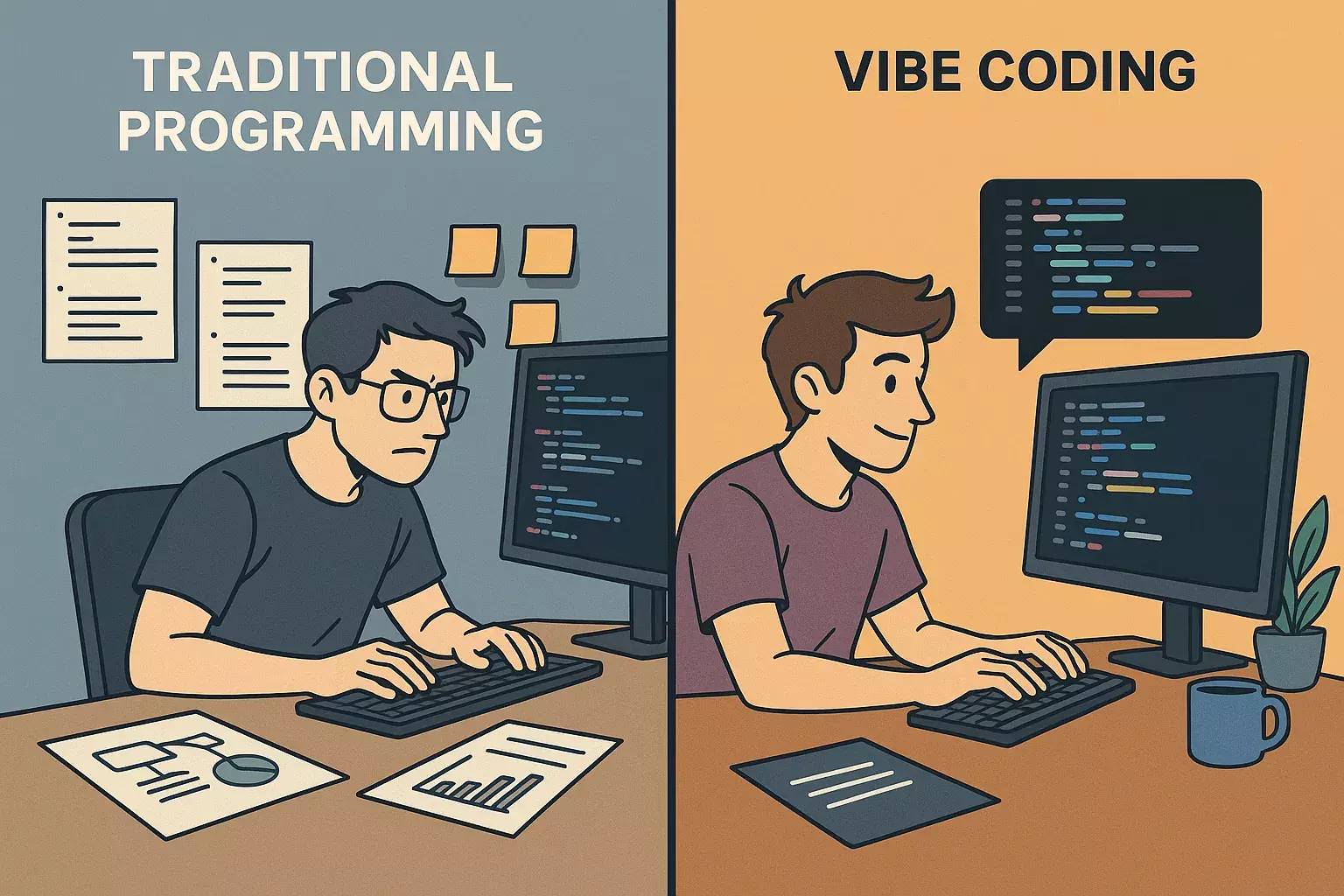
The question: "I have limited programming knowledge but need to build business websites. Should I use GitHub + Vercel + Visual Studio with AI (Option A), Lovable-dev for simple sites + Cursor/Windsurf for apps (Option B), or WordPress (Option C)? Which AI tools make development easier while keeping code organized?"
Here's my honest take: None of these options are perfect, but there's a better path that combines speed, maintainability, and real learning. Let me walk you through what I'd do and why.
Table of Contents
1. Breaking Down Your Three Options
2. A Better Path: Laravel + AI Tools
3. Lovable vs Cursor vs Windsurf: Real Comparison
4. Building Your Business Website with Laravel
5. Must-Have Habits from Day One
Breaking Down Your Three Options
Let me give you the real talk on each option, based on what I've seen work (and fail) in production:
Option A: GitHub + Vercel + Visual Studio + AI
Pros:
- ✅ Free hosting on Vercel (great for static sites)
- ✅ Version control from day one
- ✅ AI can guide you step-by-step
Cons:
- ❌ Vercel is mainly for static sites/Next.js—not ideal for business sites with databases
- ❌ You'll hit limitations fast when you need backend functionality
- ❌ Visual Studio is heavy—overkill for beginners
Verdict: Good for learning frontend, but you'll outgrow it quickly. I tried this route in 2020. Ended up migrating to Laravel after 3 months because I needed a database and proper backend.
Option B: Lovable-dev + Cursor/Windsurf
Pros:
- ✅ Lovable is fast for simple informational sites
- ✅ $25/month is reasonable if it saves time
- ✅ Cursor is excellent for AI-assisted coding
Cons:
- ❌ Lovable locks you into their platform—hard to export or customize deeply
- ❌ You're learning their tool, not web development fundamentals
- ❌ When you need custom features (like Calendly integration), you hit walls
- ❌ Code quality from AI generators is often messy—hard to maintain
Real story: A client came to me last year with a Lovable-built site. They needed to add a custom booking system. The code was a mess—AI-generated spaghetti code with no structure. We rebuilt it in Laravel in 2 weeks. Cost them $3,000 to fix what they thought was "done."
Option C: WordPress
Pros:
- ✅ Huge plugin ecosystem (Calendly integration exists)
- ✅ Easy content management
- ✅ Lots of themes
Cons:
- ❌ You're not really learning to code—you're learning WordPress
- ❌ Performance issues as sites grow
- ❌ Security vulnerabilities (constant updates needed)
- ❌ Custom functionality requires PHP knowledge anyway
- ❌ Hard to scale or migrate later
Verdict: Fine if you just need a site running fast, but terrible for learning. I've maintained WordPress sites for 5 years. Every time I touch one, I wish it was Laravel.
A Better Path: Laravel + AI Tools
Here's what I'd actually do if I were starting today with your requirements:
Why Laravel for Business Websites:
Laravel is perfect for business websites because it handles everything you need: informational pages, contact forms, lead capture, database storage, and integrations (like Calendly). It's a true fullstack framework—you build backend and frontend in one place.
Code example - Simple business page:
// routes/web.php
Route::get('/', [HomeController::class, 'index']);
Route::post('/contact', [ContactController::class, 'store']);

// app/Http/Controllers/ContactController.php
class ContactController extends Controller
{
    public function store(Request $request)
    {
        // Validate input (security built-in)
        $validated = $request->validate([
            'name' => 'required|string|max:255',
            'email' => 'required|email',
            'message' => 'required|string',
        ]);

        // Save to database
        $lead = Lead::create($validated);

        // Send email notification
        Mail::to('you@business.com')->send(new NewLeadMail($lead));

        return redirect()->back()->with('success', 'Thank you!');
    }
}

// resources/views/contact.blade.php
<form method="POST" action="/contact">
    @csrf
    <input name=name required>
    <input name=email type=email required>
    <textarea name=message required></textarea>
    <button type=submit>Send</button>
</form>
Why This Approach Wins:
- ✅ You actually learn to code: Not just using a tool, but understanding how web apps work
- ✅ Scalable: Start simple, add features as you grow
- ✅ Maintainable: Clean code structure that won't become a nightmare
- ✅ Flexible: Add Calendly, payment processing, custom features easily
- ✅ Cost-effective: Host on DigitalOcean ($5/month) or Render (free tier available)
- ✅ AI-assisted: Use Cursor to help, but you understand what's happening
Real example: I built a business website for a client last month. Informational pages, contact form, Calendly integration, and a lead capture funnel. Took 3 days with Laravel + Cursor. The code is clean, documented, and they can easily add features later. Total hosting cost: $5/month.
Lovable vs Cursor vs Windsurf: Real Comparison
I've used all three. Here's the honest breakdown:
Lovable-dev:
- ✅ Fast for simple sites: Can generate a basic site in minutes
- ✅ Good UI: Visual interface is intuitive
- ❌ Platform lock-in: Hard to export or customize deeply
- ❌ Code quality: Generated code is often messy—hard to maintain
- ❌ Limited customization: When you need something specific, you hit walls
- ❌ Cost: $25/month adds up, and you're learning their tool, not web dev
Verdict: Good for rapid prototyping, terrible for learning or long-term projects. I'd only use it if I needed a site live in 2 hours and didn't care about code quality.
Cursor:
- ✅ Best AI coding assistant: Understands context better than ChatGPT
- ✅ Works with your codebase: Reads your entire project, not just single files
- ✅ Great for learning: Explains code as it writes it
- ✅ Refactoring: Can refactor entire codebases intelligently
- ✅ Free tier available: $20/month for Pro (worth it)
- ❌ Still need to understand code: Won't work if you don't know basics
Real example: I use Cursor daily. Yesterday, I asked it to "add Calendly integration to the contact page with proper error handling." It generated the code, explained each part, and I understood what it did. That's the difference—you learn while building.
Windsurf:
- ✅ Similar to Cursor: AI-powered IDE
- ✅ Good for teams: Collaboration features
- ❌ Newer: Less mature than Cursor
- ❌ Less community: Fewer tutorials and examples
Verdict: Cursor wins. It's more mature, has better AI, and the community is larger. Windsurf might catch up, but right now Cursor is the clear winner.
My recommendation: Use Cursor with Laravel. It's the perfect combination—you get AI assistance, but you're building real, maintainable code. The $20/month is worth it if you're serious about learning.
Building Your Business Website with Laravel
Here's how to build exactly what you need: informational pages + Calendly + lead funnel.
Step 1: Basic Setup
# Install Laravel
composer create-project laravel/laravel business-site

# Install Tailwind (for styling)
npm install -D tailwindcss
npx tailwindcss init

# Set up database
# Edit .env file
DB_CONNECTION=mysql
DB_DATABASE=your_database
Step 2: Create Pages Structure
// routes/web.php
Route::get('/', [HomeController::class, 'index']);
Route::get('/about', [PageController::class, 'about']);
Route::get('/services', [PageController::class, 'services']);
Route::get('/contact', [ContactController::class, 'show']);
Route::post('/contact', [ContactController::class, 'store']);

// Lead capture route
Route::post('/leads', [LeadController::class, 'store']);
Step 3: Add Calendly Integration
// resources/views/contact.blade.php
<div class="calendly-inline-widget"
     data-url="https://calendly.com/your-username/meeting"
     style="min-width:320px;height:700px;"></div>
<script type=text/javascript
        src=https://assets.calendly.com/assets/external/widget.js
        async></script>

// Or embed in a section
<section id="schedule">
    <h2>Schedule a Meeting</h2>
    <!-- Calendly embed code -->
</section>
Step 4: Build Lead Capture Funnel
// Create migration
php artisan make:migration create_leads_table

// Migration file
Schema::create('leads', function (Blueprint $table) {
    $table->id();
    $table->string('name');
    $table->string('email');
    $table->string('phone')->nullable();
    $table->text('message')->nullable();
    $table->string('source')->default('website'); // Track where lead came from
    $table->timestamps();
});

// LeadController
class LeadController extends Controller
{
    public function store(Request $request)
    {
        $validated = $request->validate([
            'name' => 'required|string|max:255',
            'email' => 'required|email',
            'phone' => 'nullable|string',
            'message' => 'nullable|string',
        ]);

        $lead = Lead::create($validated);

        // Send notification email
        Mail::to('you@business.com')->send(new NewLeadNotification($lead));

        // Optional: Add to CRM (Zapier, Make.com, etc.)

        return response()->json(['success' => true]);
    }
}
Step 5: Create Lead Capture Form
// resources/views/components/lead-form.blade.php
<form id="leadForm" class="space-y-4">
    @csrf
    <input type=text name=name placeholder="Your Name" required>
    <input type=email name=email placeholder="Email" required>
    <input type=tel name=phone placeholder="Phone (optional)">
    <textarea name=message placeholder="How can we help?"></textarea>
    <button type=submit>Get Started</button>
</form>

<script>
document.getElementById('leadForm').addEventListener('submit', async (e) => {
    e.preventDefault();
    const formData = new FormData(e.target);

    const response = await fetch('/leads', {
        method: 'POST',
        body: formData,
        headers: {
            'X-CSRF-TOKEN': document.querySelector('meta[name="csrf-token"]').content
        }
    });

    if (response.ok) {
        // Redirect to thank you page or show success message
        window.location.href = '/thank-you';
    }
});
</script>
Step 6: Deploy
I recommend Render or DigitalOcean for Laravel hosting. Vercel won't work well for Laravel (it's for static/Next.js sites).
- Render: Free tier available, easy deployment from GitHub
- DigitalOcean: $5/month droplet, full control
- Laravel Forge: $12/month, automates deployment (worth it if you're not comfortable with servers)
Must-Have Habits from Day One
These habits will save you months of pain later. Start them immediately:
1. Use Git from Day One
Don't wait. Set up GitHub repo before you write a single line of code. Commit often, with meaningful messages.
# ❌ Bad commits
git commit -m "fix"
git commit -m "update"

# ✅ Good commits
git commit -m "feat: add contact form with validation"
git commit -m "fix: resolve Calendly embed loading issue"
git commit -m "refactor: extract lead capture to service class"
2. Write Clean, Commented Code
Even with AI generating code, add comments explaining WHY, not WHAT. Future you will thank present you.
// ❌ Bad: AI-generated, no context
function store($request) {
    $data = $request->all();
    return Model::create($data);
}

// ✅ Good: Clear purpose, documented
/**
 * Store a new lead from the contact form
 * Validates input, saves to database, and sends notification
 */
public function store(Request $request)
{
    // Validate to prevent bad data and security issues
    $validated = $request->validate([
        'email' => 'required|email|max:255',
        'name' => 'required|string|max:255',
    ]);

    // Create lead record
    $lead = Lead::create($validated);

    // Notify business owner via email
    Mail::to(config('mail.admin'))->send(new NewLeadMail($lead));

    return response()->json(['success' => true]);
}
3. Organize Your Project Structure
Laravel has conventions—follow them. Don't put everything in one file. Use controllers, models, services properly.
// ✅ Good structure
app/
  Http/
    Controllers/
      ContactController.php
      LeadController.php
  Models/
    Lead.php
  Services/
    LeadService.php  // Business logic here
  Mail/
    NewLeadMail.php
4. Use AI as a Teacher, Not a Crutch
When Cursor generates code, ask it to explain what it did. Don't just copy-paste. Understand the patterns. This is how you actually learn.
5. Test Locally Before Deploying
I've seen people deploy broken code because they didn't test. Use `php artisan serve` locally. Test every feature. Then deploy.
6. Keep a Learning Journal
Document what you learn. What worked? What didn't? What would you do differently? This accelerates your learning.
What Helped Me Most Overall
Looking back at 6 years of development, here's what actually moved the needle:
1. Building Real Projects, Not Tutorials
Tutorials teach syntax. Real projects teach problem-solving. Build something you'll actually use. The business website you need? Perfect first project.
2. Using AI as a Learning Tool
Cursor didn't replace my learning—it accelerated it. When I didn't understand something, I asked Cursor to explain. It's like having a senior developer pair-programming with you 24/7.
3. Shipping Early, Iterating Often
My first business website was ugly and had bugs. But it was live. I got feedback, fixed issues, improved it. Perfectionism kills progress. Ship, learn, improve.
4. Learning One Stack Deeply
I focused on Laravel instead of jumping between frameworks. Deep knowledge beats shallow knowledge of 10 tools. Once you master one, learning others becomes easier.
5. Joining Communities
Laravel Discord, Reddit r/laravel, Twitter. Ask questions. Help others. You learn faster when you're part of a community.
6. Reading Other People's Code
GitHub is your friend. Find Laravel projects, read the code, understand the patterns. See how experienced developers structure things.
My Final Recommendation
Here's exactly what I'd do if I were in your shoes:
For Your Business Websites:
- Start with Laravel + Cursor: Learn the fundamentals while building something real
- Use Tailwind CSS: Fast styling without writing custom CSS
- Host on Render or DigitalOcean: $5-12/month, reliable, scalable
- Use GitHub: Version control from day one
- Integrate Calendly: Simple embed, works perfectly with Laravel
- Build lead capture: Database + email notifications (Laravel makes this easy)
Why This Approach Wins:
- ✅ You actually learn: Not locked into a platform, you understand how things work
- ✅ Scalable: Start simple, add features as you grow
- ✅ Maintainable: Clean code that won't become a nightmare in 6 months
- ✅ Cost-effective: $5-20/month total (hosting + Cursor Pro)
- ✅ Future-proof: Skills transfer to bigger projects, other frameworks
What to Avoid:
- ❌ Lovable for learning: You'll learn their tool, not web development
- ❌ WordPress for custom features: You'll hit limitations fast
- ❌ Vercel for Laravel: Wrong tool for the job
- ❌ Copy-pasting without understanding: You'll fail when you need to debug or modify
The Bottom Line:
You asked for tools that speed development while keeping code organized. Here's the answer: Laravel + Cursor. Laravel gives you structure and best practices. Cursor gives you AI assistance. Together, you build fast, learn real skills, and create maintainable code.
Start today. Don't wait for the perfect plan. Install Laravel, open Cursor, and start building. You'll have a working business website in a week. It won't be perfect, but it'll be yours, and you'll understand every line of code.
That's the difference between using a tool and actually learning to code. Choose learning. Your future self will thank you.
Need Help Getting Started?
If you're stuck or need guidance on building your business website with Laravel, the team at khaizinam.io.vn can help. We've built Laravel applications for 50+ projects and specialize in helping beginners build their first real projects.
Free technical consultation: khaizinam.io.vn.
Remember: The best tool is the one that helps you learn while building. Laravel + Cursor is that combination. Start building today. 🚀
Chia sẻ bài viết













Bình luận
Chia sẻ cảm nghĩ của bạn về bài viết này.